
Iron County Court Calendars Explained
Iron County circuit court posts its public calendar through Wisconsin Circuit Court Access. That system is known statewide as WCCA. It covers every circuit court, and a county filter narrows it to Iron. On the form, pick the county, a court official where that applies, a start date, an end date, and the optional Traffic only filter if you want traffic cases alone. Dates go in MM-DD-YYYY form. One search covers no more than seven days. A longer stretch means running consecutive searches.
Only one circuit-court branch serves Iron County. Even so, WCCA keeps the county choice and the court-official choice separate, and assignments can change without notice. Skip any old link with an official number baked in. Start from the live form each time. Remember that results are notices, not judgments. For a continuance, an order, or a disposition, the case docket and the Clerk of Courts file carry the real story.
Iron Calendar Seven-Day Windows
Keep the window tight. Iron County's calendar lets you span no more than seven days per search. That works well for a single week of hearings. Pick Iron for the County field. If you do not know the court official, just leave that setting broad rather than guessing a name. Checking the Traffic only box pulls traffic cases out on their own, away from the civil and criminal docket entries. Planning further ahead simply means running the search again for the next week. The full set of fields sits on the WCCA calendar page.
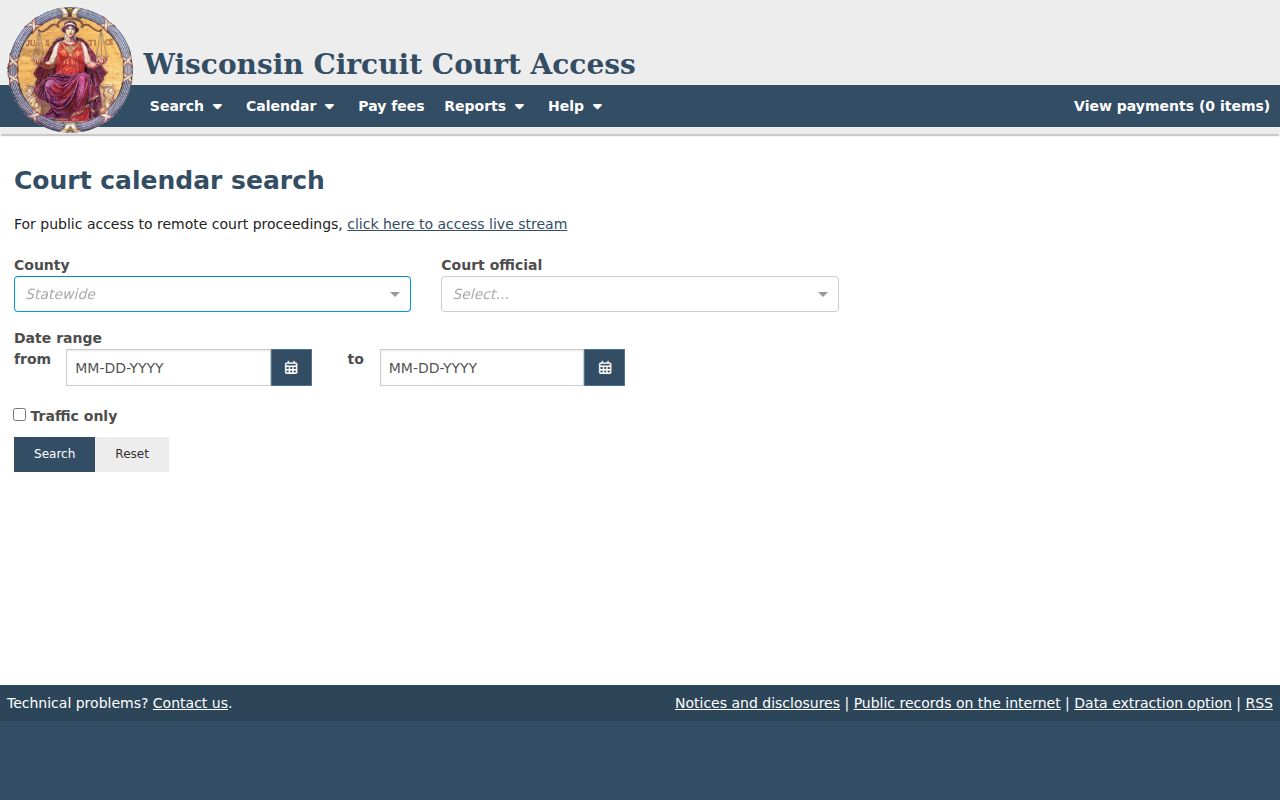
The form makes two things plain at once. County and date range both drive the results, and a calendar search belongs at the live form rather than a stale saved report URL.
Finding Your Court Date
When an Iron County date really counts, use every channel you can. Online is fast. Court offices give local confirmation. An attorney can place a date in the context of a represented case. Posted listings at the courthouse help walk-in visitors. The public terminal opens WCCA to anyone without home internet.
- Open WCCA calendar search and select Iron County.
- Enter a seven-day range in MM-DD-YYYY format, then apply a known official or traffic filter.
- Compare the result with the case detail found through WCCA by name or case number.
- Call the judicial assistant at 715-561-3434 about courtroom, remote access, cancellation, or judge-calendar details.
- For docket questions, call the Clerk of Courts at 715-561-4084 or visit Suite 207 at 300 Taconite Street, Hurley.
- Check courthouse postings or the public WCCA terminal, and consult counsel if represented.
Mail has its place, just not for a urgent date check. Call first about whatever item you need. Then send court-file mail to the Iron County Clerk of Courts, 300 Taconite Street, Suite 207, Hurley, WI 54534. One caution applies. The county public-records request page covers sheriff records. It is no substitute for a circuit-court calendar inquiry.
Iron Court Dates Through WCCA
A calendar line usually makes more sense once you've pinned down the case behind it. WCCA Advanced Search narrows an Iron County matter many ways. You can filter by case type, status, filing or disposition range, citation number, district attorney number, issuing agency, or offense dates. Its class and agency lists load on the fly. Write down the visible label you picked. Skip the internal value. The advanced-search screen lays out all of these filter groups.
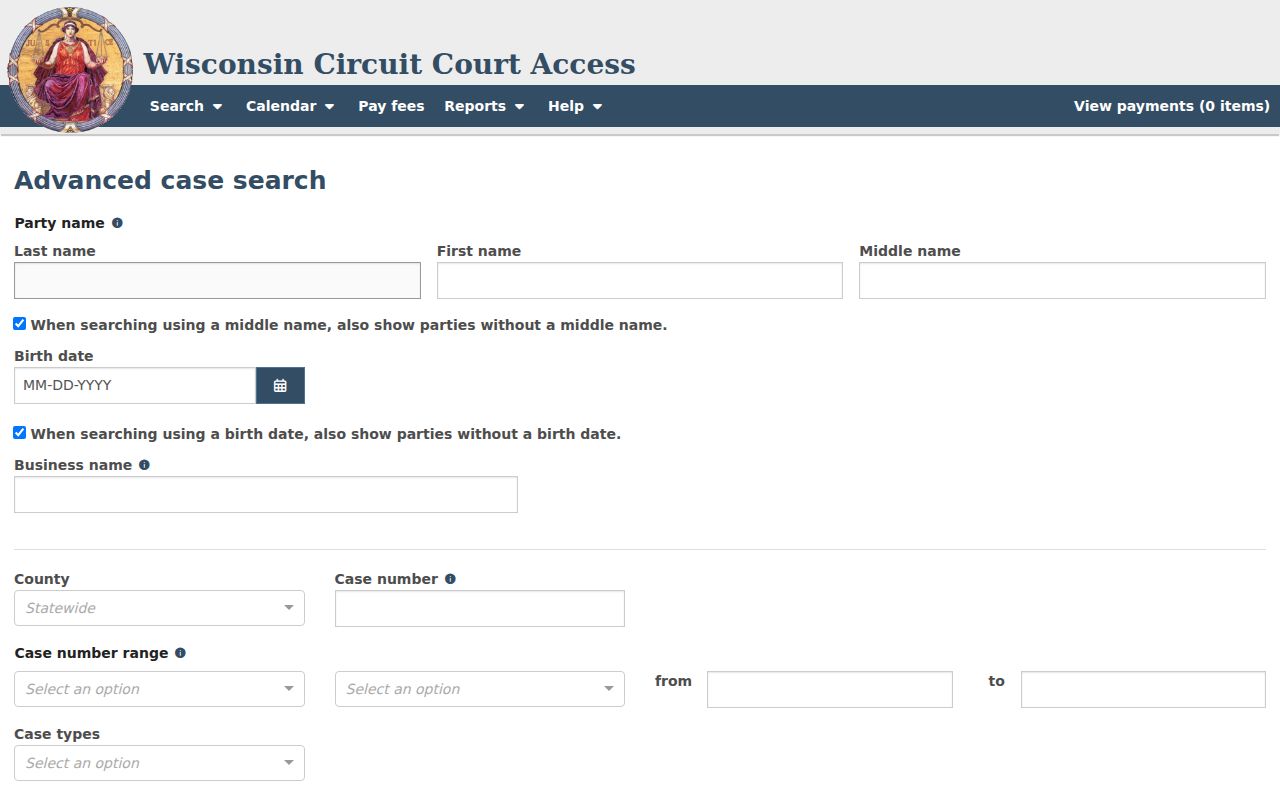
None of these filters moves a hearing date. Their job is to identify the right case before you read its docket entries or ask the clerk to confirm a setting.
How to Read a Court Setting
An Iron County calendar line packs in a lot. It holds a sequence number, date and time, case number, caption, activity, and county or location. A detail card can add the court official, the prosecuting attorney, and the party attorney. Read the whole line. A bare date looks like a trial when it isn't. A location without the current notice may hide a remote option. That remote option is tied to the proceeding.
| Date | The scheduled day, searched as MM-DD-YYYY. |
|---|---|
| Time | The listed start time, subject to later court action. |
| Location | The county or hearing location in the calendar detail. |
| Court official | The official assigned to the event. |
| Activity | The setting type, not the case outcome. |
| Case number | The identifier used to cross-check WCCA and contact the clerk. |
Captions name the parties. Use one only to pick the correct case, and keep private details to yourself. For a fuller filing history, take the case number to the Iron County case lookup.
Iron Small-Claims Return Dates
Iron County local rules dated August 14, 2008 set small-claims return dates on Mondays. They start at 1:30 p.m. The same rules allow one clerk-approved adjournment for reasonable cause. Appearance can also happen by clear written pleadings or by telephone. Treat the old rule as a lead, not a promise for every case. Check the actual setting on WCCA and confirm with the court.
Local-rule caution. A dated schedule rule can guide a search, but the current case notice and court confirmation control the planned appearance.
Skipping court has consequences. What they are depends on the party and the posture. Under the local rule, nonappearance can end in dismissal, default judgment, or dismissal without prejudice. Default judgment follows a required failure to respond or appear. Dismissal without prejudice usually leaves refiling open, subject to the law and its deadlines.
Iron Calendar Results and Dockets
WCCA's results structure helps you trace a setting back to its case. In broader case results the interface can list filing date, county, and status. Name, caption, and case number may appear too. Open and Closed look like answers, but they aren't. Neither status proves a current hearing exists or doesn't. Search the calendar and chronological docket entries too. The WCCA results page shows the table structure Iron County searches use.
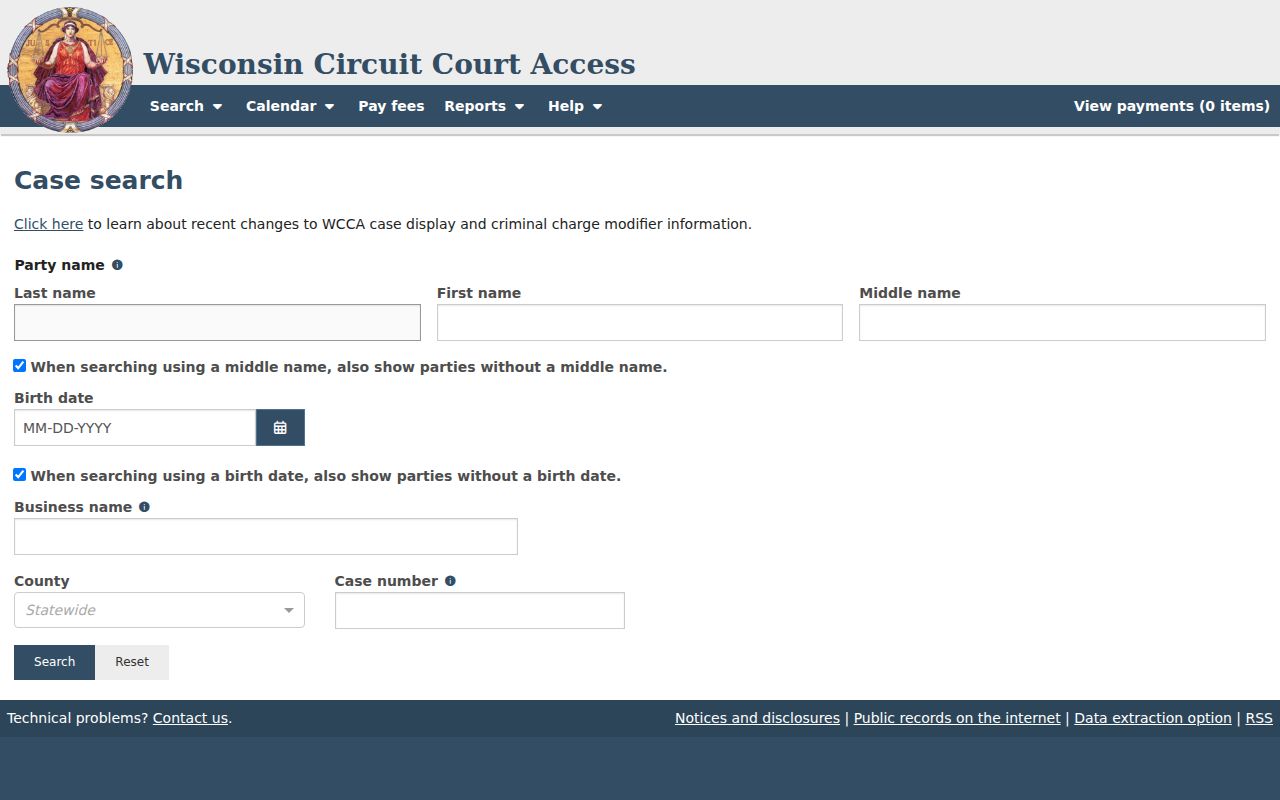
A privacy-safe habit fits this workflow well. Note the case number, skip the birth dates and private captions, and rely on the official record for the setting and status.
Continuances, Resets, and Cancellations
A continuance just pushes a hearing to a new date. It does not end the case. WCCA updates often. Yet a brand-new courtroom change may not show up the moment you look. Nightly maintenance can briefly block access. Keep the case number handy. Check the live calendar, not an old screen.
Need answers about a courtroom, a remote link, a cancellation, or a judge's calendar? The Iron County judicial assistant handles those calls directly. Docket entries and the public file belong to the Clerk of Courts. If a lawyer represents you, loop in that lawyer too. Some remote hearings offer a public livestream link. That depends on the event. One hearing having a link means nothing for the next.
Iron Traffic Dates and Payments
Checking the Traffic only box on the calendar narrows the list to traffic hearings. That filter pays nothing, though. It cannot turn a city parking ticket into a circuit-court case. Payments run through a separate WCCA search covering fees, fines, and payment plans. You can search it with personal or business details, Iron County, a case number, or a citation number. A payment-plan filter works too. Phone payment is another option the county points to. Cash, check, or money order can go through the courthouse under current instructions. The WCCA payment-search source shows where that line falls.
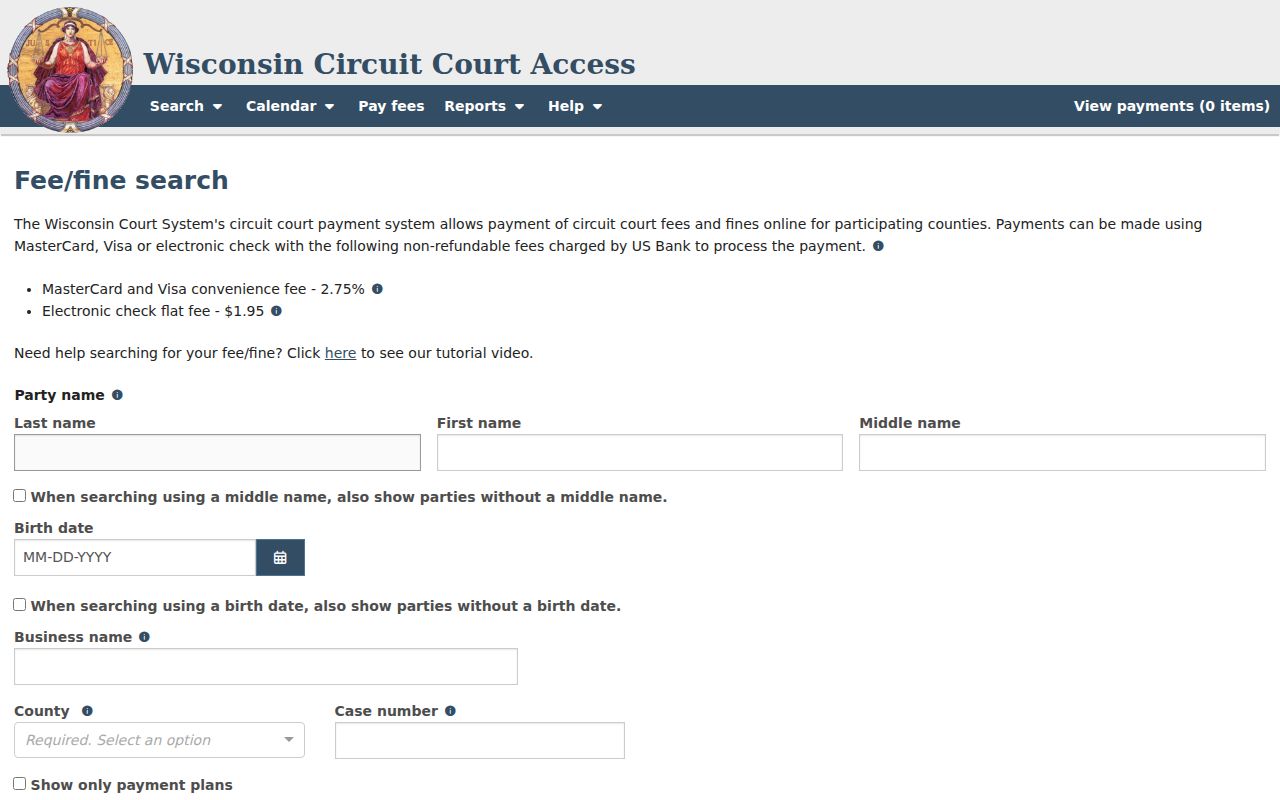
One caution: a payment screen proves nothing about your hearing. A court date can still stand even after you pay, so verify it separately, above all when a citation or notice demands an appearance.
If You Miss a Court Setting
Move fast. Pull up the case number. Read the newest public docket entry. Then call the Iron County judicial assistant or the Clerk of Courts. Ask what the record shows now and how the court will issue its next instruction. Your attorney, if you have one, should hear from you as well. Court staff will explain the record and the procedure, but they cannot offer legal advice.
Missed setting. Nonappearance can lead to serious case-specific action, including default, dismissal, or a warrant where authorized.
Call the court office promptly and do not assume that paying, leaving a message, or finding no online event resolves the matter.
Seek advice from a licensed Wisconsin attorney when the consequences or next step are unclear.
A concert or festival listing on the Hurley or Montreal city calendar has nothing to do with your court date. County news calendars are equally useless for confirming a circuit setting. Trust the court named on your citation or notice, let WCCA give you the public lead, and confirm everything through the Iron County court office.